
Lesson at a glance
maze.education/microbit/lessons/compass
- Grades
- Grades 4 to 6
- Time
- 45 to 60 minutesThe CAPS gives Coding and Robotics 2 hours a week (Coding and Robotics CAPS, Grades 4 to 6, page 22).
- Level
- Some experienceFor classes that have used the micro:bit and MakeCode once or twice.
- Board
- Any micro:bit
- Code with
- MakeCode blocks, with Python as an extension
- CAPS
- Social Sciences, Coding and RoboticsFits: Grade 4, Term 2 · Where it fits
Learning intentions
Learners will learn to:
- Read the compass heading in degrees and explain what it means.
- Use if, else if and else to turn degrees into the four main compass directions.
- Use compass directions to describe where places are in the school.
Success criteria
Each learner can say:
- I can explain what a heading of 90 degrees means.
- I can use if, else if and else to show N, E, S or W for a heading.
- I can describe where a place in the school is, using a compass direction.
Competencies
From the Coding and Robotics CAPS places this lesson cites.
- C.2Present a simple coding solution
- D.3Demonstrate an understanding of the concept of a computing device
Key words
- compass
- A tool that shows which way is north.
- heading
- The direction you are facing, in degrees from north.
- degrees
- How far round a circle you have turned. A full turn is 360 degrees.
- calibrate
- To set up a sensor so its readings are right.
- magnetic north
- The direction a compass points. It is close to, but not exactly, north on a map.
What you need
- One micro:bit per pair, with a USB cable and a battery holder
- A computer with Chrome or Edge for each pair
- A simple map of the school grounds, drawn on paper
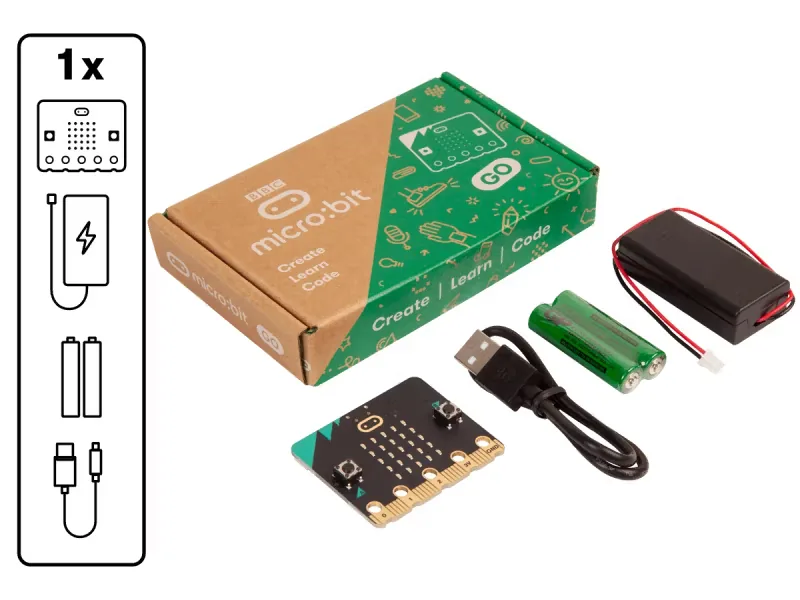
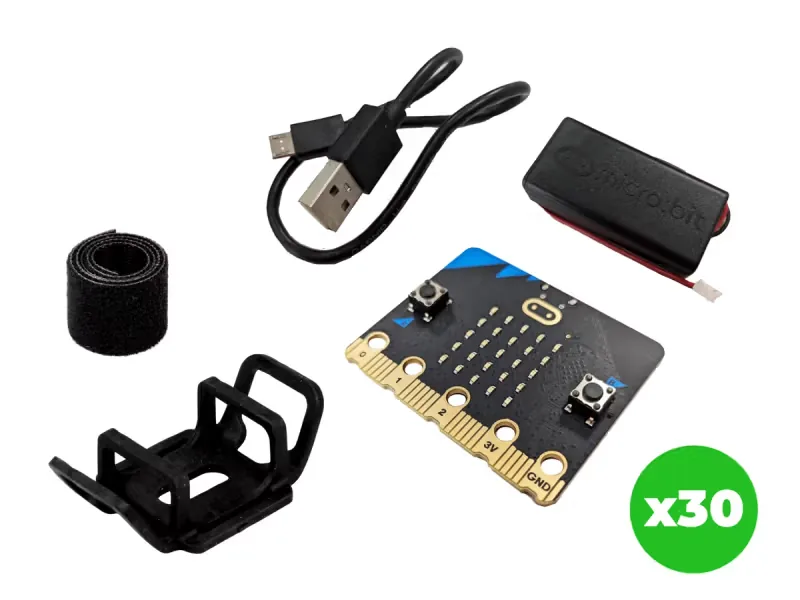
From our shop: BBC micro:bit V2 Go, BBC micro:bit V2.21 Next Gen Classroom Pack
Safety
- Walk carefully outside and stay where the teacher can see you. Look up from the screen before you move.
- Use the battery holder with two AAA batteries. Never mix old and new batteries, and take the batteries out before the kits are packed away.
- Unplug the battery holder by holding its plug, never by pulling the wires.
The lesson plan
One lesson of 45 to 60 minutes in three parts: introduction, lesson development and consolidation. The CAPS gives Coding and Robotics 2 hours a week, so it fits one of the week's lessons. Times are a guide.
Introduction
5 to 10 minutesRetrieval practiceWhere does the sun rise, and where does it set? (It rises in the east and sets in the west.)
Problem statementThe school wants a map of its grounds for visitors and new learners, with north marked correctly. Build a compass on the micro:bit, find north, and describe where places are by their compass directions.
- Draw a compass rose on the board with N, E, S and W, and the degrees: N 0, E 90, S 180, W 270.
- Read the problem statement. Ask: which way is north from our classroom door? Take a vote, and keep the answer for later.
Lesson development
35 to 40 minutes- Unplugged first. Learners stand up. Call out directions (face north, turn to east, half a turn) and they turn on the spot. Then call out degrees instead: face 90, face 180.
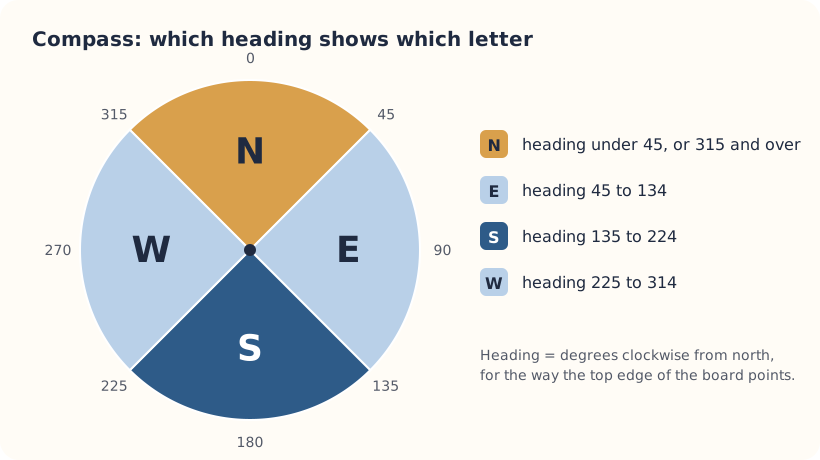
- Plan on paper first. Pairs shade the four ranges of degrees on a compass rose, then draw a flowchart that asks the questions in order: is the heading under 45, or 315 or more? Under 135? Under 225?
- Predict. Ask: what letter will show for a heading of 100? Of 300? Of 315? Pairs write their answers beside the flowchart.
- Build in blocks. Pairs share one computer. The driver builds the compass from the Blocks tab; the navigator follows the flowchart and checks each condition and its letter. Swap roles halfway, at the first else if.
- Test and debug. Download it. The first time it runs, the micro:bit asks you to tilt it to fill the screen: tilt slowly until every light is on. This calibrates the compass. Hold it flat, screen up, with the gold pins towards you: the letter shows the way the top edge points. Turn slowly through a full circle and check the predictions.
- Walk around the classroom or grounds and mark on the map what is to the north, east, south and west of a fixed point. Compare with a partner's micro:bit, and with where the sun rises. Do they agree?
Plan on paper: a model answer
In pairs, shade the four ranges on a compass rose, then draw the flowchart the program follows.
Flowchart
- Read the compass heading into heading
- Is heading under 45, or 315 or more?Yes: show NNo: ask the next question
- Is heading under 135?Yes: show ENo: ask the next question
- Is heading under 225?Yes: show SNo: show W
- Read the heading again, forever
Consolidation
5 to 10 minutes- Ask: what does a heading of 90 degrees mean?
- Ask: why do we need else if rather than four separate if blocks?
- Back to the problem: was the class vote about north right? Pairs describe one place on their map using a compass direction: the tuck shop is east of the hall.
Build it, step by step
Pairs build the program in blocks, following the numbered steps, with the same program as text beside them to check against or paste. Test in the simulator before sending it to a board.
These are the MakeCode steps. The other routes are on the lesson's web page.
Build it in MakeCode blocks
- Start a New Project and make a variable called heading in Variables.
- In forever, put set heading to with compass heading (°) from Input.
- From Logic, add an if then else and use the plus sign to add two else if parts.
- First condition: heading < 45 or heading ≥ 315 (the or block is in Logic). Show the letter N with show string.
- Then heading < 135 shows E, and heading < 225 shows S. The else part shows W.
- Download, then calibrate when the micro:bit asks.
let heading = 0
basic.forever(function () {
    heading = input.compassHeading()
    if (heading < 45 || heading >= 315) {
        basic.showString("N")
    } else if (heading < 135) {
        basic.showString("E")
    } else if (heading < 225) {
        basic.showString("S")
    } else {
        basic.showString("W")
    }
})
To use the text instead: open MakeCode, start a new project, click JavaScript at the top, replace what is there with this code, then click Blocks to see it as blocks.
To send it to the board, click Download. In Chrome or Edge, MakeCode can connect to the micro:bit by USB so the program goes straight onto it. Otherwise a .hex file downloads: drag it onto the MICROBIT drive.
No Purple Mash route for this lesson
We could not find a Purple Mash unit or project that matches this lesson, so it is MakeCode blocks, with Python as an extension. These lessons have a Purple Mash route:
Extension: text-based coding, beyond the CAPS
The same program in MicroPython, for the micro:bit Python Editor. It suits Grade 7 to 9 learners who are ready for text-based code. The CAPS itself follows a block-based approach (Coding and Robotics CAPS, Grades 7 to 9, page 24).
# Compass: shows N, E, S or W for the way the top edge points.
from microbit import *

while True:
    heading = compass.heading()
    if heading < 45 or heading >= 315:
        display.show("N")
    elif heading < 135:
        display.show("E")
    elif heading < 225:
        display.show("S")
    else:
        display.show("W")
    sleep(200)
The first time compass.heading() runs, the micro:bit asks you to calibrate it, just as in MakeCode.
Open the Python editor, replace the code that is there with this program (or open the downloaded file), then click Send to micro:bit. MakeCode also has a Python view, which is written a little differently.
Extension or homework
Challenges for learners who finish early, or to take further in a club or as homework.
- Challenge 1
Hunt for treasure with bearings in the Compass treasure map lesson.
- Challenge 2
Find north with the micro:bit, then check it with the sun: at midday in South Africa the sun is roughly in the north.
- Challenge 3
Find out how much a laptop, a pair of scissors or a steel table changes the reading, and explain why.
Support and extension
Support
For learners who need more help
- Start with two directions only: N for heading under 180 and S otherwise. Then add E and W.
- Give learners the compass rose with the four ranges already shaded.
Extension
For learners who are ready for more
- Show all eight points of the compass (N, NE, E, SE, S, SW, W, NW). Each point covers 45 degrees.
- Show an arrow that always points north, using show arrow from Basic.
Informal assessment
Ask these as learners work. Informal assessment happens every day and is not recorded.
- What heading in degrees is west?
- Why must the compass be calibrated first?
- If the micro:bit shows E, which way is north?
Name a place that is north of your classroom.
Observation checklist
Watch pairs as they plan, build and test. Write each pair's initials under the level you see.
| Watch for | Beginning | Developing | Accomplished | Exemplary |
|---|---|---|---|---|
| Shades the four ranges correctly on the compass rose. | ||||
| Puts the conditions in the same order as the flowchart. | ||||
| Calibrates the compass and holds it flat to read it. | ||||
| Describes a place in the school with a compass direction. |
- Beginning:
- not yet, even with help
- Developing:
- with help
- Accomplished:
- on their own
- Exemplary:
- on their own, and explains it or takes it further
The four levels are the CAPS rubric levels (Coding and Robotics CAPS, Grades 4 to 6, page 176). The short descriptions are ours.
This lesson is not a formal task, but it is good practice for the term's practical task in Grades 4 to 6 (Coding and Robotics CAPS, Grades 4 to 6, page 170).
Common mistakes and fixes
- It always shows N, or the letters jump about.Calibrate again (reset the board) and keep it away from magnets, laptops and metal desks.
- It keeps asking us to tilt it.Keep tilting slowly until every light is on. Calibration ends when the screen is full.
- Our micro:bit disagrees with the map.A compass points to magnetic north, which is not exactly north on a map. In South Africa the difference is big enough to notice.
Where it sits in CAPS
- Social SciencesGrade 4 Geography: compass directions in the local area.Source: CAPS Social Sciences, Grades 4 to 6, Grade 4, Geography, Term 2: Map skills:
north (N), south (S), east (E) and west (W) in local area
- Social SciencesGrade 5 Geography: the eight points of the compass (the stretch task).Source: CAPS Social Sciences, Grades 4 to 6, Grade 5, Geography, Term 1: Map skills:
Eight points of the compass
- Coding and RoboticsSupportsThe Coding and Robotics CAPS does not use the compass. The lesson practises Grade 6 work: reading a built-in sensor and deciding with IF, THEN and ELSE.Source: Coding and Robotics CAPS, Grades 4 to 6, Grade 6, Term 1, Digital Concepts, D.3 Demonstrate an understanding of the concept of a computing device, page 135:
The microcontroller has built-in sensors and buttons that serve as sources of input
- Coding and RoboticsFitsGrade 4, Term 2: IF…THEN to choose what happens (the CAPS teaches it with on-screen sprites in Grade 4; this lesson goes on to else if and else).Source: Coding and Robotics CAPS, Grades 4 to 6, Grade 4, Term 2, Coding, C.2 Present a simple coding solution using symbolic or written statements representing sequences of commands, single repetition, and conditional constructs, page 67:
Introduce simple IF…THEN statement formally
Coding and Robotics quotes come from the Department of Basic Education's final CAPS, with the page number of the 2024 printed edition (the Department's October 2025 library copies number their pages differently). Schools may teach a topic in another term: the CAPS leaves the order to each school's annual teaching plan.
micro:bit is a trade mark of the Micro:bit Educational Foundation, and BBC is a trade mark of the British Broadcasting Corporation. Maze Education is an independent reseller of genuine BBC micro:bit products. Our teacher training and our other products and services are our own, and are not endorsed by the Foundation or the BBC.