
Lesson at a glance
maze.education/microbit/lessons/sound-light-show
- Grades
- Grades 3 to 6
- Time
- 45 to 60 minutesThe CAPS gives Coding and Robotics 2 hours a week (Coding and Robotics CAPS, Grades R to 3, page 20; Grades 4 to 6, page 22).
- Level
- Getting startedA good first or second micro:bit lesson. No coding needed before.
- Board
- micro:bit V2 onlyThis lesson needs a micro:bit V2, for its microphone.
- Code with
- MakeCode blocks, with Python as an extension
- CAPS
- Coding and Robotics, Creative Arts, Natural Sciences and TechnologyAligned: Grade 6, Term 1 · Where it fits
Learning intentions
Learners will learn to:
- Use the micro:bit V2's microphone as an input.
- Make a program react to a loud sound, such as a clap.
- Use a random number to make a light show that never repeats exactly.
Success criteria
Each learner can say:
- I can show where the microphone is and use the sound level as an input.
- I can make the micro:bit flash a picture when someone claps.
- I can explain why the sparkle never repeats exactly: the lights are chosen at random.
- I can name the input and the output of the light show.
Competencies
From the Coding and Robotics CAPS places this lesson cites.
- R.3Outline the different components of a robot
- R.5Design a simple artefact based on a set of design instructions
- R.7Create, test and execute a set of robotic instructions
- D.7Present a basic understanding of the concept of input processing and output
Key words
- microphone
- A sensor that picks up sound. The micro:bit V2 has one on the back; sound reaches it through a small hole on the front, next to the logo.
- sound level
- How loud it is, from 0 (silent) to 255 (very loud).
- event
- Something that happens, like a loud clap, that makes a part of the program run.
- random
- Chosen by chance, so we cannot say in advance which number comes next.
- brightness
- How strongly a light shines. On the micro:bit it goes from 0 (off) to 255 (full).
- IPO table
- A plan with three columns: the input, the processing and the output.
What you need
- A micro:bit V2 for each pair (the V1 has no microphone), with a USB cable and a battery holder
- A computer with Chrome or Edge for each pair
- A short piece of music to play on the class computer, quietly, then a little louder
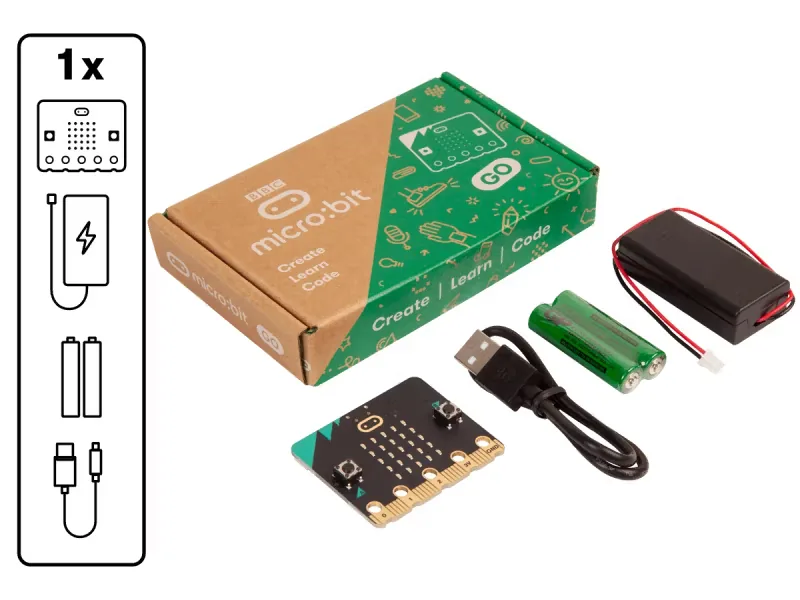
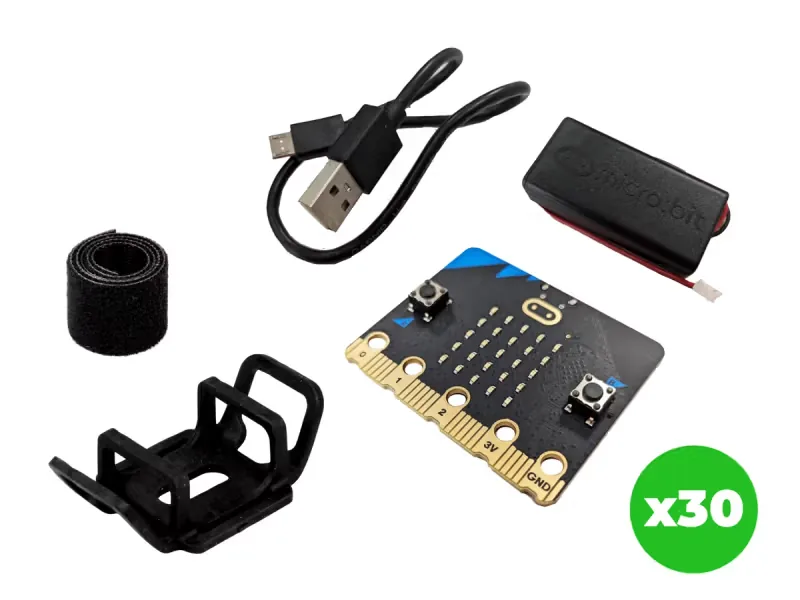
From our shop: BBC micro:bit V2 Go, BBC micro:bit V2.21 Next Gen Classroom Pack
Safety
- Clap and talk at an everyday level. There is no need to shout or bang near anyone's ears for a bright show.
- Use the battery holder with two AAA batteries. Never mix old and new batteries, and take the batteries out before the kits are packed away.
- Unplug the battery holder by holding its plug, never by pulling the wires.
The lesson plan
One lesson of 45 to 60 minutes in three parts: introduction, lesson development and consolidation. The CAPS gives Coding and Robotics 2 hours a week, so it fits one of the week's lessons. Times are a guide.
Introduction
5 to 10 minutesRetrieval practiceWhat is an input, and what is one input on the micro:bit? (Information going into a computer, such as a press of button A.)
Problem statementThe end-of-year concert needs lights that respond to the music and the applause, and the school has no budget for stage lighting. Program a light show on the micro:bit V2 that sparkles brighter as the hall gets louder and flashes when the audience claps.
- Play a short piece of music. Ask: how could a machine know the music is getting louder?
- Read the problem statement together. Show the small hole on the front of the micro:bit V2, next to the logo. Sound goes in there to the microphone on the back, and the small light beside the hole shows when the microphone is on.
Lesson development
35 to 40 minutes- Unplugged first. Be the light show: each learner is one light. When the teacher claps loudly, everyone raises a hand at once (the flash). While music plays, a few learners at a time raise a hand, higher when it is louder (the sparkle). Ask: what was your input, and what was your output?
- Plan on paper first. Pairs fill in an IPO table with two rows: the sound level, all the time, and a loud sound such as a clap. Grade 3 learners write what happens after a clap as numbered steps instead.
- Predict. Ask: what will the sparkle look like in a quiet room, and when someone talks? What will happen when you clap?
- Build in blocks. Pairs share one computer. The driver builds the sparkle in forever from the Blocks tab and tests it in the simulator by dragging its sound slider; the navigator checks each block against the first row of the IPO table. Swap roles halfway: the new driver adds on loud sound and the threshold in on start.
- Test and debug. Download to a micro:bit V2 and test it: whisper, talk, clap. Did it match your prediction? Which sound makes the brightest sparkle? If the flash never happens, or happens all the time, change the threshold and test again.
- Pairs change the flash to their own pictures with show leds and give the show a name. Play the music quietly, then louder, and watch the light shows across the room together.
Plan on paper: a model answer
In pairs, fill in an IPO table for the light show. Grade 3 learners write what happens after a clap as numbered steps instead.
Algorithm
- Wait for a loud sound, such as a clap.
- Show the big diamond.
- Show the small diamond.
- Clear the screen.
- Wait for the next loud sound.
IPO table
Input Processing Output The sound level from the microphone (0 to 255), all the time Light a random light as brightly as the sound is loud, switch off another random light, and wait 20 ms. Repeat forever A sparkle that gets brighter as the room gets louder A loud sound, over the threshold of 150 Run the blocks in on loud sound The big diamond, the small diamond, then a clear screen Consolidation
5 to 10 minutes- Ask: what is the input in our light show? What is the output? Point to each one in the IPO table.
- Ask: why does the sparkle look different every time? Which block makes that happen?
- Back to the problem: would the light show work in the hall for the concert? What would you change for a big, noisy room, such as the threshold? Learners check themselves against the success criteria.
Build it, step by step
Pairs build the program in blocks, following the numbered steps, with the same program as text beside them to check against or paste. Test in the simulator before sending it to a board.
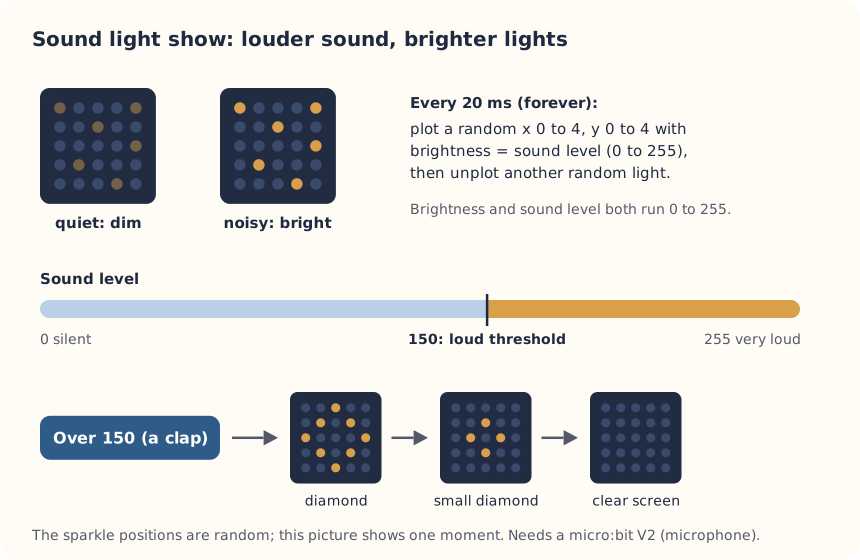
These are the MakeCode steps. The other routes are on the lesson's web page.
Build it in MakeCode blocks
- Start a New Project called Light show.
- From Led, find plot x y brightness (under more) and put it in forever.
- For x and y, use pick random 0 to 4 from Math. For brightness, use sound level from Input.
- Add unplot x y from Led with two more pick random 0 to 4 blocks, so old lights switch off, then a pause (ms) 20 from Basic.
- From Input, add on loud sound. Put two show icon blocks inside it, the big diamond then the small diamond, and a clear screen.
- Put set loud sound threshold to 150 from Input (under more) in on start, so only a clap counts as loud.
- Test in the simulator, then Download to a micro:bit V2.
input.onSound(DetectedSound.Loud, function () {
    basic.showIcon(IconNames.Diamond)
    basic.showIcon(IconNames.SmallDiamond)
    basic.clearScreen()
})
input.setSoundThreshold(SoundThreshold.Loud, 150)
basic.forever(function () {
    led.plotBrightness(randint(0, 4), randint(0, 4), input.soundLevel())
    led.unplot(randint(0, 4), randint(0, 4))
    basic.pause(20)
})
To use the text instead: open MakeCode, start a new project, click JavaScript at the top, replace what is there with this code, then click Blocks to see it as blocks.
To send it to the board, click Download. In Chrome or Edge, MakeCode can connect to the micro:bit by USB so the program goes straight onto it. Otherwise a .hex file downloads: drag it onto the MICROBIT drive.
No Purple Mash route for this lesson
We could not find a Purple Mash unit or project that matches this lesson, so it is MakeCode blocks, with Python as an extension. These lessons have a Purple Mash route:
Extension: text-based coding, beyond the CAPS
The same program in MicroPython, for the micro:bit Python Editor. It suits Grade 7 to 9 learners who are ready for text-based code. The CAPS itself follows a block-based approach (Coding and Robotics CAPS, Grades 7 to 9, page 24).
# Sound-reactive light show: lights sparkle with the sound level, and a clap flashes a diamond (micro:bit V2).
from microbit import *
import random

microphone.set_threshold(SoundEvent.LOUD, 150)
while True:
    if microphone.was_event(SoundEvent.LOUD):
        display.show(Image.DIAMOND)
        sleep(300)
        display.show(Image.DIAMOND_SMALL)
        sleep(300)
        display.clear()
    level = microphone.sound_level()
    display.set_pixel(random.randint(0, 4), random.randint(0, 4), level * 9 // 255)
    display.set_pixel(random.randint(0, 4), random.randint(0, 4), 0)
    sleep(20)
In MicroPython a light's brightness goes from 0 to 9, not 0 to 255, so the program scales the sound level down with level * 9 // 255.
Open the Python editor, replace the code that is there with this program (or open the downloaded file), then click Send to micro:bit. MakeCode also has a Python view, which is written a little differently.
Extension or homework
Challenges for learners who finish early, or to take further in a club or as homework.
- Challenge 1
Add on loud sound pictures that make a short animation, like a firework that grows and fades.
- Challenge 2
Make quiet sounds count too: use on quiet sound to show a sleeping face when the room is calm.
- Challenge 3
Measure your classroom properly with the Is our classroom too loud? lesson.
Support and extension
Support
For learners who need more help
- Start with the clap flash only (on loud sound with one show icon), then add the sparkle once it works.
- Work as a class on the projector first, then pairs copy the finished program.
Extension
For learners who are ready for more
- Count the claps with a variable and show the total when button A is pressed.
- Make the flash change: use pick random 1 to 3 and if then else to choose one of three pictures.
Informal assessment
Ask these as learners work. Informal assessment happens every day and is not recorded.
- Which sensor does the light show use, and where is it on the board?
- What happens to the sparkle when the room gets louder? Why?
- Which block makes the show different each time?
Why did we set the loud sound threshold to 150 and not 10?
Observation checklist
Watch pairs as they plan, build and test. Write each pair's initials under the level you see.
| Watch for | Beginning | Developing | Accomplished | Exemplary |
|---|---|---|---|---|
| Points out the microphone and names the sound level as the input. | ||||
| Fills in the IPO table, or orders the steps after a clap, before building. | ||||
| Predicts what the lights will do, then tests with a whisper, talking and a clap. | ||||
| Builds the sparkle with random positions and the sound level as the brightness. | ||||
| Changes the threshold when the flash happens too often or never. |
- Beginning:
- not yet, even with help
- Developing:
- with help
- Accomplished:
- on their own
- Exemplary:
- on their own, and explains it or takes it further
The four levels are the CAPS rubric levels (Coding and Robotics CAPS, Grades R to 3, page 127; Grades 4 to 6, page 176). The short descriptions are ours.
In Grade 3, all assessment is school-based, through observation, oral, practical and written tasks (Coding and Robotics CAPS, Grades R to 3, page 121). This lesson is not a formal task, but it is good practice for the term's practical task in Grades 4 to 6 (Coding and Robotics CAPS, Grades 4 to 6, page 170).
Common mistakes and fixes
- Nothing happens when we clap.You need a micro:bit V2 with the gold logo. A V1 has no microphone. Also check the threshold is not too high: try 120.
- The flash happens all the time.The room is loud enough to pass the threshold. Raise it to 180, or move the board away from the speaker.
- The sparkle is very dim.The sound level is low in a quiet room. Clap or talk near the board to see it brighten.
Where it sits in CAPS
- Coding and RoboticsAlignedGrade 6, Term 1: the microphone is a sound sensor, an input the program can use.Source: Coding and Robotics CAPS, Grades 4 to 6, Grade 6, Term 1, Robotics, R.3 Outline the different components of a robot, page 132:
Sound sensors (microphones) allow the robot to perceive
- Coding and RoboticsAlignedGrade 6, Term 1: the board's built-in sensors detect sound, here a loud clap.Source: Coding and Robotics CAPS, Grades 4 to 6, Grade 6, Term 1, Robotics, R.5 Design a simple artefact based on a set of design instructions, page 132:
detecting movement, sound, light and heat.
- Coding and RoboticsAlignedGrade 6, Term 1: a light show on the micro:bit that uses random numbers (the CAPS LED music visualiser).Source: Coding and Robotics CAPS, Grades 4 to 6, Grade 6, Term 1, Robotics, R.5 Design a simple artefact based on a set of design instructions, page 133:
This show learners to the concept of random numbers
- Coding and RoboticsFitsGrade 6, Term 3: a clap that switches a light on, as in the CAPS sound-controlled light pole project.Source: Coding and Robotics CAPS, Grades 4 to 6, Grade 6, Term 3, Robotics, R.7 Create, test and execute a set of robotic instructions, page 155:
Develop a project to turn on the light and set off the alarm when you clap your hands.
- Coding and RoboticsFitsGrade 4, Term 1: input, processing and output, with the microphone as the input and the lights as the output.Source: Coding and Robotics CAPS, Grades 4 to 6, Grade 4, Term 1, Digital Concepts, D.7 Present a basic understanding of the concept of input processing and output, page 64:
the three main steps that occur in a computer or any other device
- Coding and RoboticsSupportsGrade 3: the CAPS teaches this phase unplugged and allows devices as enrichment, which is what this lesson is for Grade 3.Source: Coding and Robotics CAPS, Grades R to 3, Grade 3, Section 2.10, Resources required to offer Coding and Robotics in Foundation Phase, page 22:
However educational devices, where available, could be used for enrichment.
- Natural Sciences and TechnologyFits Natural Sciences and Technology, Energy and Change: sound is made by vibrations, and some sounds are louder than others.
- Creative ArtsFits Creative Arts: light and pattern that respond to music and rhythm.
Coding and Robotics quotes come from the Department of Basic Education's final CAPS, with the page number of the 2024 printed edition (the Department's October 2025 library copies number their pages differently). Schools may teach a topic in another term: the CAPS leaves the order to each school's annual teaching plan.
micro:bit is a trade mark of the Micro:bit Educational Foundation, and BBC is a trade mark of the British Broadcasting Corporation. Maze Education is an independent reseller of genuine BBC micro:bit products. Our teacher training and our other products and services are our own, and are not endorsed by the Foundation or the BBC.