
Lesson at a glance
maze.education/microbit/lessons/class-vote
- Grades
- Grades 4 to 7
- Time
- 45 to 60 minutesThe CAPS gives Coding and Robotics 2 hours a week (Coding and Robotics CAPS, Grades 4 to 6, page 22; Grades 7 to 9, page 22).
- Level
- Some experienceFor classes that have used the micro:bit and MakeCode once or twice.
- Board
- Any micro:bit
- Code with
- MakeCode blocks, with Python as an extension
- CAPS
- Mathematics, Coding and Robotics, Social SciencesFits: Grade 7, Term 3 · Where it fits
Learning intentions
Learners will learn to:
- Send a number by radio and act on the number that arrives.
- Keep a tally of votes in two variables and show the result.
- Spot a weakness in a voting system, such as voting twice, and suggest a fix.
Success criteria
Each learner can say:
- I can send a number by radio when a button is pressed.
- I can keep a tally of yes and no votes in two variables and show the totals.
- I can name one way to cheat our voting system and suggest a fix.
Competencies
From the Coding and Robotics CAPS places this lesson cites.
- R.3Outline the different components of a robot
- R.7Create, test and execute a set of robotic instructions
Key words
- vote
- A choice one person makes that is counted with everyone else's.
- tally
- A running count, one mark or one more for each vote.
- radio group
- A number from 0 to 255. Only boards in the same group hear each other.
- receiver
- The board that hears the messages. Here the teacher's board counts the votes.
- fair
- A vote is fair when everyone can vote, each vote counts once and nobody can change another's vote.
- trace table
- A table that follows the value of each variable, step by step, as a program runs.
What you need
- A micro:bit for each pair or group, plus one for the teacher, with USB cables and battery holders
- A computer with Chrome or Edge for each pair
- Three questions the class can vote on, such as: should we have the next lesson outside?
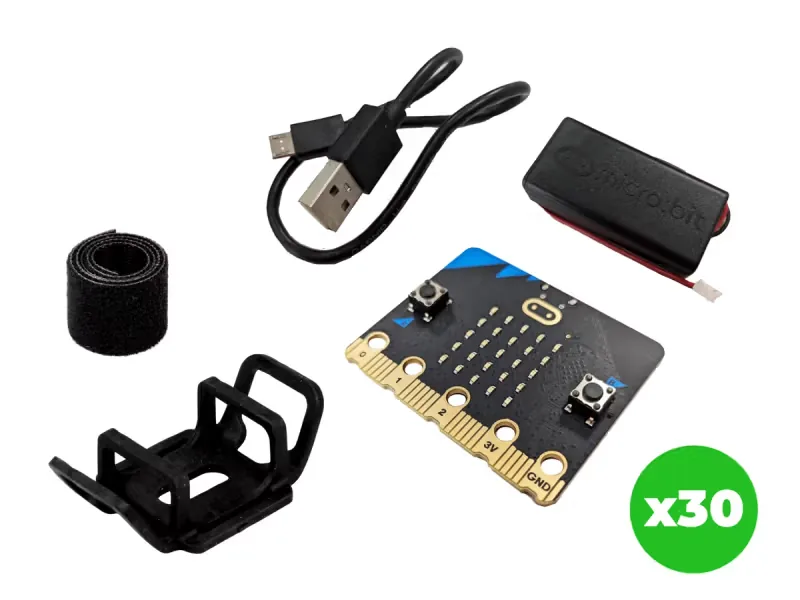
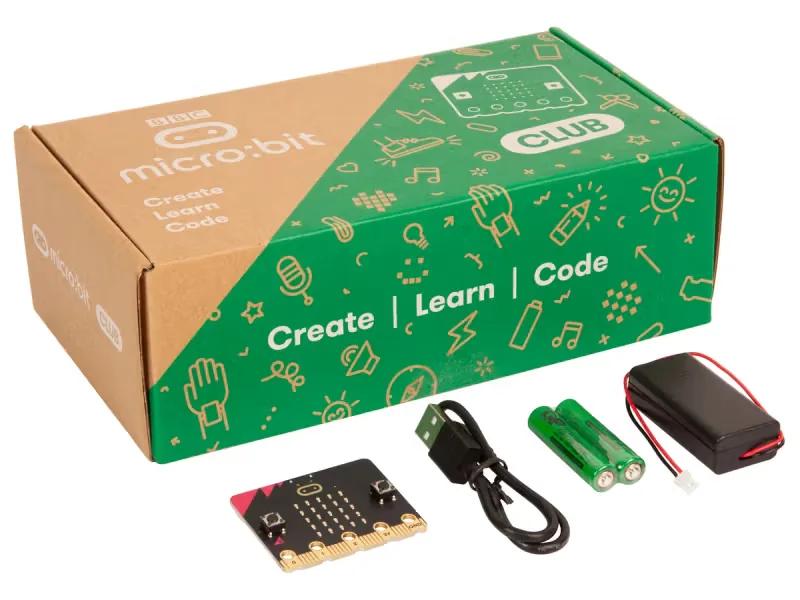
From our shop: BBC micro:bit V2.21 Next Gen Classroom Pack, BBC micro:bit V2 Club Pack
Safety
- Keep USB cables tidy on the desk so nobody trips over them or pulls a laptop off the table.
- Use the battery holder with two AAA batteries. Never mix old and new batteries, and take the batteries out before the kits are packed away.
- Unplug the battery holder by holding its plug, never by pulling the wires.
The lesson plan
One lesson of 45 to 60 minutes in three parts: introduction, lesson development and consolidation. The CAPS gives Coding and Robotics 2 hours a week, so it fits one of the week's lessons. Times are a guide.
Introduction
5 to 10 minutesRetrieval practiceWhat is a variable? (A named place in a program that holds a value, which can change while the program runs.)
Problem statementThe class must choose what to sell at the market day stall, and a hands-up vote is neither secret nor easy to count. Build a radio voting system in which every board sends its vote to one counting board, then decide whether it is fair.
- Hold a quick hands-up vote and record it on the board with tally marks. Ask: was that easy to count? Was it secret?
- Read the problem statement. Explain that our boards will send their votes by radio to one counting board, the way some meetings use voting handsets.
Lesson development
35 to 40 minutes- Unplugged first. Vote with paper slips: each learner writes Y or N, folds the slip and posts it in a box. Two counters tally the slips on the board. Then ask what could go wrong: someone posts two slips, a slip is unreadable, or the counters make a mistake.
- Plan on paper first. Pairs fill in an IPO table for the voting boards and the counting board. Grade 7 learners add a trace table: the values of yes and no as five votes arrive.
- Predict. Ask: if three boards press A and two press B, what will the counting board show when A and B are pressed together on it? Pairs write the prediction down.
- Build in blocks. Agree one radio group number for the whole class and write it on the board. Pairs share one computer: the driver builds the program from the Blocks tab, and the navigator checks each block against the IPO table. Swap roles halfway, at the on radio received block. Every board runs the same program: download it to every board, including the teacher's.
- Test and debug. Run a test vote of five, as in the prediction: A sends 1 for yes and B sends 2 for no. The teacher's board does not vote; it only counts. Press A and B together on it to see the totals. If the count is wrong, check every board's group number first.
- Hold three votes. Before each one, press the reset button on the back of the teacher's board so the tally starts at 0, and record each result in a table. Then test the system: can one pair vote three times? Discuss how to fix it, and try the fix in the extension task.
Plan on paper: a model answer
In pairs, fill in an IPO table for the voting system. Grade 7 learners also trace yes and no as five votes arrive at the counting board.
IPO table
Input Processing Output Button A is pressed on a voting board Send the number 1 by radio A tick shows on the voting board Button B is pressed on a voting board Send the number 2 by radio A cross shows on the voting board A number arrives at the counting board If it is 1, add 1 to yes; if it is 2, add 1 to no The top right light blinks A and B are pressed together on the counting board Read yes and no Y, the yes total, N and the no total scroll past Trace table
Grade 7: the counting board's variables as five votes arrive, three yes and two no. Vote receivedNumber yes no Start none yet 0 0 1 1 1 0 2 2 1 1 3 1 2 1 4 1 3 1 5 2 3 2 Consolidation
5 to 10 minutes- Show the results table. Which question had the biggest difference between yes and no?
- Ask: why must every board be in the same radio group, and what happens if a board is in a different one?
- Back to the problem: was our radio vote fair enough to choose the market day stall? What would make it fairer? Learners check themselves against the success criteria.
Build it, step by step
Pairs build the program in blocks, following the numbered steps, with the same program as text beside them to check against or paste. Test in the simulator before sending it to a board.
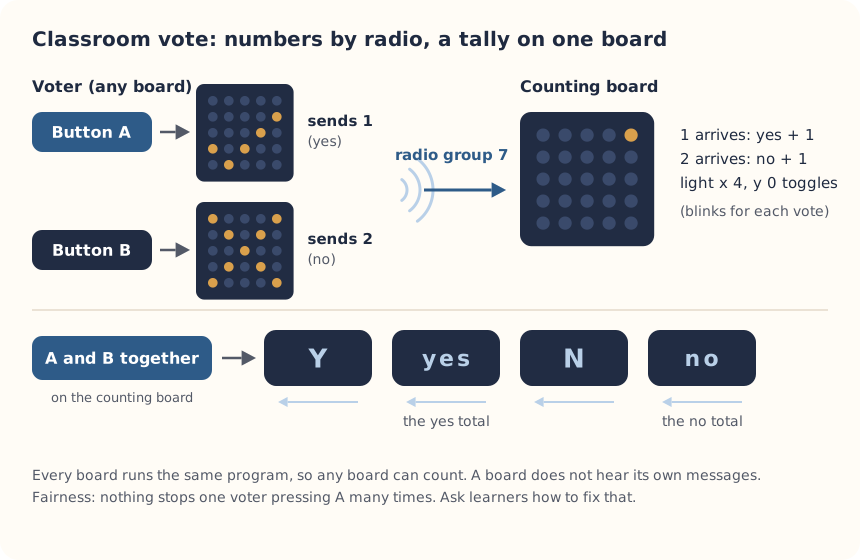
These are the MakeCode steps. The other routes are on the lesson's web page.
Build it in MakeCode blocks
- Start a New Project called Vote. From Radio, put radio set group in on start with the class number.
- In Variables, make yes and no. From Input, add on button A pressed with radio send number 1 and show icon with the tick.
- Add on button B pressed with radio send number 2 and show icon with the cross.
- From Radio, add on radio received receivedNumber. Inside, add if then else if: if receivedNumber = 1, change yes by 1; else if receivedNumber = 2, change no by 1.
- Still inside, add toggle x 4 y 0 from Led, so a light blinks every time a vote arrives.
- Add on button A+B pressed: show string Y, show number yes, show string N, show number no.
- Test in the simulator (it shows two boards), then Download to every board.
let no = 0
let yes = 0
input.onButtonPressed(Button.A, function () {
    radio.sendNumber(1)
    basic.showIcon(IconNames.Yes)
})
input.onButtonPressed(Button.B, function () {
    radio.sendNumber(2)
    basic.showIcon(IconNames.No)
})
input.onButtonPressed(Button.AB, function () {
    basic.showString("Y")
    basic.showNumber(yes)
    basic.showString("N")
    basic.showNumber(no)
})
radio.onReceivedNumber(function (receivedNumber) {
    if (receivedNumber == 1) {
        yes += 1
    } else if (receivedNumber == 2) {
        no += 1
    }
    led.toggle(4, 0)
})
radio.setGroup(7)
To use the text instead: open MakeCode, start a new project, click JavaScript at the top, replace what is there with this code, then click Blocks to see it as blocks.
To send it to the board, click Download. In Chrome or Edge, MakeCode can connect to the micro:bit by USB so the program goes straight onto it. Otherwise a .hex file downloads: drag it onto the MICROBIT drive.
No Purple Mash route for this lesson
We could not find a Purple Mash unit or project that matches this lesson, so it is MakeCode blocks, with Python as an extension. These lessons have a Purple Mash route:
Extension: text-based coding, beyond the CAPS
The same program in MicroPython, for the micro:bit Python Editor. It suits Grade 7 to 9 learners who are ready for text-based code. The CAPS itself follows a block-based approach (Coding and Robotics CAPS, Grades 7 to 9, page 24).
# Classroom voting system: A votes yes, B votes no, and every board counts the votes it hears.
# Press A and B together to see the totals.
from microbit import *
import radio

radio.on()
radio.config(group=7)
yes = 0
no = 0

while True:
    if button_a.is_pressed() and button_b.is_pressed():
        display.scroll("Y" + str(yes) + " N" + str(no))
        button_a.was_pressed()
        button_b.was_pressed()
    elif button_a.was_pressed():
        radio.send("1")
        display.show(Image.YES)
    elif button_b.was_pressed():
        radio.send("2")
        display.show(Image.NO)
    message = radio.receive()
    if message == "1":
        yes = yes + 1
    elif message == "2":
        no = no + 1
    sleep(20)
MakeCode boards and Python boards do not understand each other's radio messages, so every board in the class needs the same version. After the totals scroll, the Python version clears the button presses so showing the result is not counted as a vote.
Open the Python editor, replace the code that is there with this program (or open the downloaded file), then click Send to micro:bit. MakeCode also has a Python view, which is written a little differently.
Extension or homework
Challenges for learners who finish early, or to take further in a club or as homework.
- Challenge 1
Show the result as a picture: if yes is bigger, show a tick; if no is bigger, a cross; if they are equal, a straight line.
- Challenge 2
Work out each answer as a fraction or a percentage of all the votes, and draw a bar graph of your three questions.
- Challenge 3
Build a messaging system next, in Radio messages or the Morse code messenger.
Support and extension
Support
For learners who need more help
- Give pairs the program with only the radio group to change, and focus the lesson on the voting and the results table.
- Count yes votes only first. Add no once the yes count works.
Extension
For learners who are ready for more
- Stop double voting: add a variable voted, set to false at the start. A and B only send a vote if voted is false, and then set it to true.
- Add a third choice with on shake that sends 3 for 'not sure', and show it in the totals.
Informal assessment
Ask these as learners work. Informal assessment happens every day and is not recorded.
- What number does a board send for yes, and what does the counting board do when it arrives?
- Why does the teacher's board not vote?
- Give one way someone could cheat in our first version, and one way to stop it.
Yes got 14 votes and no got 6. What fraction of the class voted yes?
Observation checklist
Watch pairs as they plan, build and test. Write each pair's initials under the level you see.
| Watch for | Beginning | Developing | Accomplished | Exemplary |
|---|---|---|---|---|
| Fills in the IPO table for the voting boards and the counting board. | ||||
| Predicts the totals for a test vote, then checks them. | ||||
| Keeps the tally in two variables and shows both totals. | ||||
| Finds a way to cheat the system and suggests a fix. |
- Beginning:
- not yet, even with help
- Developing:
- with help
- Accomplished:
- on their own
- Exemplary:
- on their own, and explains it or takes it further
The four levels are the CAPS rubric levels (Coding and Robotics CAPS, Grades 4 to 6, page 176; Grades 7 to 9, page 163). The short descriptions are ours.
This lesson is not a formal task, but it is good practice for the term's practical task in Grades 4 to 6 (Coding and Robotics CAPS, Grades 4 to 6, page 170), and for the mini-PATs in Grades 7 to 9 (Coding and Robotics CAPS, Grades 7 to 9, page 157).
Common mistakes and fixes
- The counting board stays at 0.Check every board has the same radio group and was given the new program.
- The totals include votes from another class.Another class nearby is using your group number. Choose a different one from 0 to 255.
- Pressing A and B together sends a vote.Press both at exactly the same time. In Python, keep the two lines that clear the button presses after the totals.
Where it sits in CAPS
- Coding and RoboticsFitsGrade 7, Term 3: one micro:bit sends a number by radio and another acts on it.Source: Coding and Robotics CAPS, Grades 7 to 9, Grade 7, Term 3, Robotics, R.3 Outline the different components of a robot, page 79:
Basic introduction to Radio Communication (2 Devices)
- Coding and RoboticsFitsGrade 7, Term 3: a micro:bit program that keeps each group's score.Source: Coding and Robotics CAPS, Grades 7 to 9, Grade 7, Term 3, Robotics, R.7 Create, test and execute a set of robotic instructions, page 81:
Program the microcontroller to keep the total score
- MathematicsGrades 4 and 5 Mathematics: collecting data with tally marks and tables.Source: CAPS Mathematics, Grades 4 to 6, Section 2, topic 5.1 Collecting and organising data (Grades 4 and 5):
Collect data using tally marks and tables for recording
- Social SciencesFits Social Sciences, and Life Skills (Life Orientation in Grade 7): how groups make fair decisions, and why every vote should count once.
Coding and Robotics quotes come from the Department of Basic Education's final CAPS, with the page number of the 2024 printed edition (the Department's October 2025 library copies number their pages differently). Schools may teach a topic in another term: the CAPS leaves the order to each school's annual teaching plan.
micro:bit is a trade mark of the Micro:bit Educational Foundation, and BBC is a trade mark of the British Broadcasting Corporation. Maze Education is an independent reseller of genuine BBC micro:bit products. Our teacher training and our other products and services are our own, and are not endorsed by the Foundation or the BBC.