
Lesson at a glance
maze.education/microbit/lessons/reaction-timer
- Grades
- Grades 6 to 9
- Time
- 45 to 60 minutesThe CAPS gives Coding and Robotics 2 hours a week (Coding and Robotics CAPS, Grades 4 to 6, page 22; Grades 7 to 9, page 22).
- Level
- Some experienceFor classes that have used the micro:bit and MakeCode once or twice.
- Board
- Any micro:bit
- Code with
- MakeCode blocks, with Python as an extension
- CAPS
- Mathematics, Coding and RoboticsFits: Grade 7, Term 4 · Where it fits
Learning intentions
Learners will learn to:
- Use the micro:bit's running time to measure an interval in milliseconds.
- Use a variable to keep track of what stage a game is in.
- Collect reaction times and summarise them with the mean, median and range.
Success criteria
Each learner can say:
- I can measure an interval in milliseconds by subtracting start from the running time.
- I can explain what each value of phase means, and why button A does something different in each.
- I can work out the mean, the median and the range of my five times.
- Grades 7 to 9: I can trace phase and start through two rounds, one of them too early.
Competencies
From the Coding and Robotics CAPS places this lesson cites.
- R.7Create, test and execute a set of robotic instructions
Key words
- reaction time
- How long it takes you to respond to a signal.
- millisecond
- One thousandth of a second.
- running time
- How many milliseconds the micro:bit has been running.
- mean
- The total of the values divided by how many values there are.
- median
- The middle value when the values are put in order.
- range
- The biggest value minus the smallest.
- trace table
- A table that follows the value of each variable, step by step, as a program runs.
What you need
- One micro:bit per pair, with a USB cable and a battery holder
- A computer with Chrome or Edge for each pair
- A results table and calculators
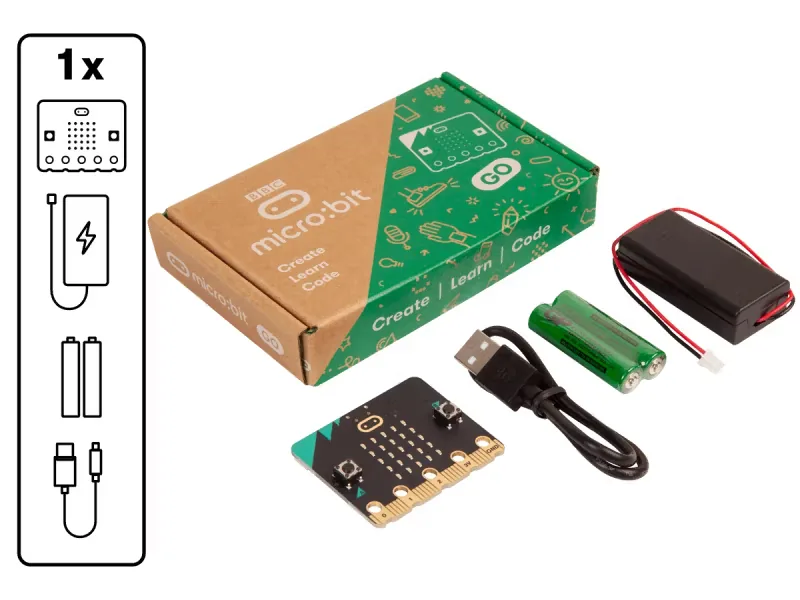
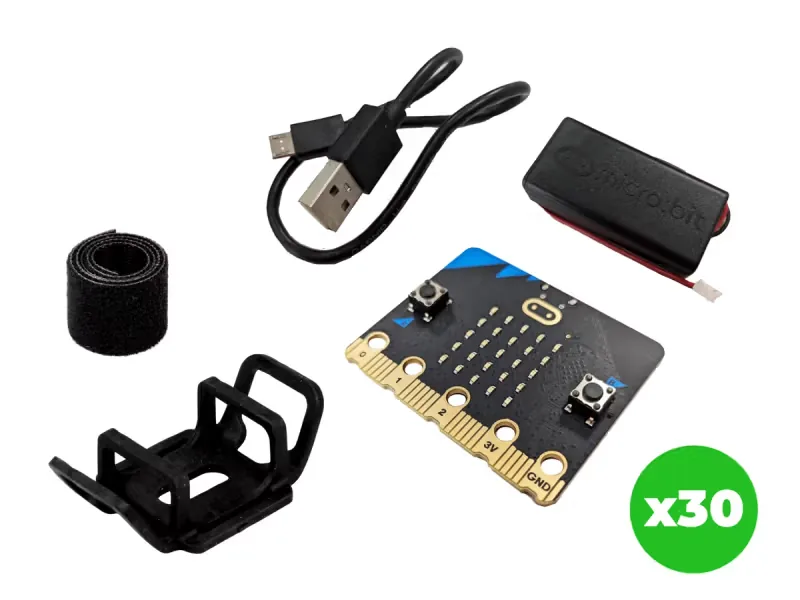
From our shop: BBC micro:bit V2 Go, BBC micro:bit V2.21 Next Gen Classroom Pack
Safety
- Clear a safe space first: no bags on the floor, and enough room for everyone to move without bumping into each other.
- Use the battery holder with two AAA batteries. Never mix old and new batteries, and take the batteries out before the kits are packed away.
- Unplug the battery holder by holding its plug, never by pulling the wires.
The lesson plan
One lesson of 45 to 60 minutes in three parts: introduction, lesson development and consolidation. The CAPS gives Coding and Robotics 2 hours a week, so it fits one of the week's lessons. Times are a guide.
Introduction
5 to 10 minutesRetrieval practiceWhat is a variable? (A named place in a program that holds a value, which can change while the program runs.)
Problem statementOctober is Transport Month in South Africa, and road safety talks remind us that a driver needs time to react before the brakes are even touched. Build a reaction timer that measures, in milliseconds, how long it takes to respond to a signal.
- Do the ruler drop: one learner holds a 30 cm ruler, the other catches it when it falls. The lower the number, the faster the reaction.
- Read the problem statement together. Ask: how could a computer measure reaction time more exactly than a ruler?
Lesson development
35 to 40 minutes- Unplugged first. One learner says go at a random moment while the others watch a clock's second hand and clap. Discuss why it is hard to time something so short by eye. Then act out the phase variable: one learner holds up a card with 0 (ready), 1 (waiting) or 2 (the dot is showing), and the class says what pressing A should do at each.
- Plan on paper first. Pairs fill in an IPO table with a row for each input and phase. Grades 7 to 9 complete the trace table for two rounds, one of them pressed too early.
- Predict. Ask: what will the board show if you press A before the dot appears? What if you press A when no round has started?
- Build in blocks. Pairs share one computer. The driver builds on button B pressed from the Blocks tab; the navigator checks each if against the IPO table and the values of phase. Swap roles halfway: the new driver builds on button A pressed and the reminder in on start.
- Test and debug. In the simulator, press B, wait for the dot in the middle, then press A: the number is your reaction time in milliseconds. Then press A too early, and press A with no round started. Did each match your prediction? If the time is always 0 or very small, check that start is set after the dot is plotted. Then download it.
- Each learner records five tries; a cross does not count. Calculate your mean and median, and the range of the class's results. Then test a question: is your other hand slower? Does it change after ten star jumps?
Plan on paper: a model answer
In pairs, fill in an IPO table with a row for each input and phase. Grades 7 to 9 also trace phase and start through two rounds.
IPO table
Input Processing Output Button B is pressed while phase is 0 (ready) Set phase to 1, clear the screen and wait a random 1 to 4 seconds. If phase is still 1, plot the dot, store the running time in start and set phase to 2 A blank screen, then the dot in the middle Button A is pressed while phase is 2 (the dot is showing) Set phase to 0, and work out the running time minus start The reaction time in milliseconds Button A is pressed while phase is 1 (waiting) Set phase to 0, so the dot will not appear A cross: too early Button A is pressed while phase is 0 (ready) Neither condition is true, so nothing runs No change Trace table
Grades 7 to 9: phase and start through two rounds. In round 1 the dot appears at 20 000 ms and A is pressed at 20 312 ms. In round 2, A is pressed too early. Event phase start The display shows Switched on 0 0 B B pressed 1 0 Blank, for a random wait The wait ends 2 20 000 The dot A pressed at 20 312 0 20 000 312 B pressed again 1 20 000 Blank, for a random wait A pressed during the wait 0 20 000 A cross The wait ends 0 20 000 Still the cross: phase is not 1, so no dot Consolidation
5 to 10 minutes- Collect each learner's median on the board and find the class's fastest, slowest and range.
- Ask: why use the median of five tries rather than just the best one? Why does the program wait a random time before showing the dot?
- Back to the problem: a car at 60 km/h travels about 17 metres every second. How far would it go during the class's median reaction time, before the brakes are touched? Learners check themselves against the success criteria.
Build it, step by step
Pairs build the program in blocks, following the numbered steps, with the same program as text beside them to check against or paste. Test in the simulator before sending it to a board.
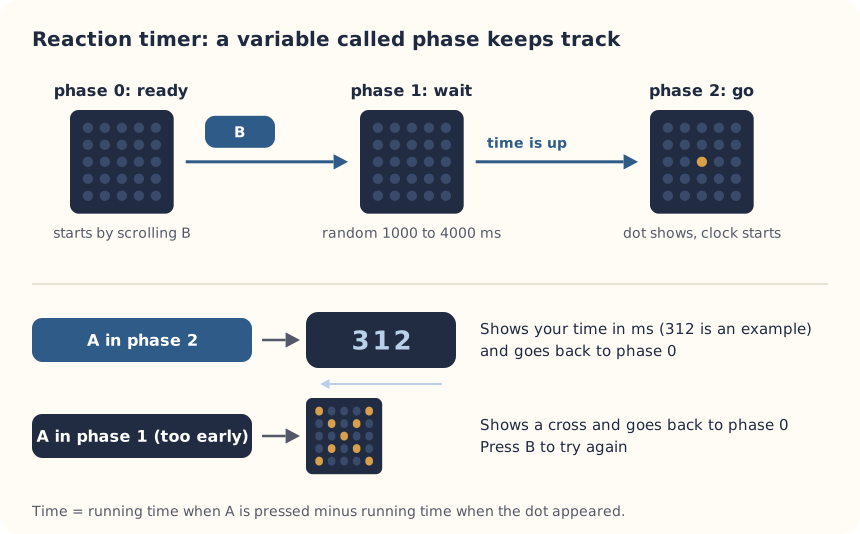
These are the MakeCode steps. The other routes are on the lesson's web page.
Build it in MakeCode blocks
- Start a New Project and make two variables in Variables: start and phase.
- From Input, drag in on button B pressed. Inside, use an if from Logic: if phase = 0, set phase to 1, clear screen, then pause (ms) with pick random 1000 to 4000 from Math.
- Still inside, add another if: if phase = 1, plot x 2 y 2 from Led, set start to running time (ms) (under more in Input), and set phase to 2.
- Drag in on button A pressed with an if then else: if phase = 2, set phase to 0 and show number of running time (ms) minus start (the minus block is in Math).
- Use the plus sign to add else if phase = 1: set phase to 0 and show icon with the cross.
- In on start, add show string B as a reminder of which button starts a round.
- Test in the simulator, then Download.
let start = 0
let phase = 0
input.onButtonPressed(Button.A, function () {
    if (phase == 2) {
        phase = 0
        basic.showNumber(input.runningTime() - start)
    } else if (phase == 1) {
        phase = 0
        basic.showIcon(IconNames.No)
    }
})
input.onButtonPressed(Button.B, function () {
    if (phase == 0) {
        phase = 1
        basic.clearScreen()
        basic.pause(randint(1000, 4000))
        if (phase == 1) {
            led.plot(2, 2)
            start = input.runningTime()
            phase = 2
        }
    }
})
basic.showString("B")
To use the text instead: open MakeCode, start a new project, click JavaScript at the top, replace what is there with this code, then click Blocks to see it as blocks.
To send it to the board, click Download. In Chrome or Edge, MakeCode can connect to the micro:bit by USB so the program goes straight onto it. Otherwise a .hex file downloads: drag it onto the MICROBIT drive.
No Purple Mash route for this lesson
We could not find a Purple Mash unit or project that matches this lesson, so it is MakeCode blocks, with Python as an extension. These lessons have a Purple Mash route:
Extension: text-based coding, beyond the CAPS
The same program in MicroPython, for the micro:bit Python Editor. It suits Grade 7 to 9 learners who are ready for text-based code. The CAPS itself follows a block-based approach (Coding and Robotics CAPS, Grades 7 to 9, page 24).
# Reaction timer: press B, wait for the dot, then press A as fast as you can.
from microbit import *
import random

display.show("B")
while True:
    if button_b.was_pressed():
        display.clear()
        button_a.was_pressed()
        wait = random.randint(1000, 4000)
        began = running_time()
        too_soon = False
        while running_time() - began < wait:
            if button_a.was_pressed():
                too_soon = True
                break
            sleep(10)
        if too_soon:
            display.show(Image.NO)
        else:
            display.set_pixel(2, 2, 9)
            start = running_time()
            while not button_a.was_pressed():
                sleep(1)
            display.scroll(running_time() - start)
    sleep(20)
The Python version waits in a loop instead of using a phase variable: a different way to solve the same problem.
Open the Python editor, replace the code that is there with this program (or open the downloaded file), then click Send to micro:bit. MakeCode also has a Python view, which is written a little differently.
Extension or homework
Challenges for learners who finish early, or to take further in a club or as homework.
- Challenge 1
Race a partner on two boards in the Two-player reaction race.
- Challenge 2
Test whether reaction times change after exercise, or at the end of the day compared with the morning.
- Challenge 3
Use a sound as the signal on a micro:bit V2 instead of the dot. Are you faster with sound or with light?
Support and extension
Support
For learners who need more help
- Give learners the B block already built, so they only build the A block.
- Use a calculator for the mean, and find the median by ordering cards with the five times on them.
Extension
For learners who are ready for more
- Keep the best time in a variable called best and show it when A and B are pressed together.
- Change the program to measure B instead of A, and test whether learners are faster with their writing hand.
Informal assessment
Ask these as learners work. Informal assessment happens every day and is not recorded.
- What does running time (ms) measure?
- Why do we subtract start from the running time?
- Your five times were 312, 290, 455, 301 and 298 ms. What are the mean, the median and the range?
What does the phase variable stop people from doing?
Observation checklist
Watch pairs as they plan, build and test. Write each pair's initials under the level you see.
| Watch for | Beginning | Developing | Accomplished | Exemplary |
|---|---|---|---|---|
| Fills in the IPO table with a row for each input and phase. | ||||
| Predicts what A does in each phase, then tests all three. | ||||
| Builds the timing so that start is set after the dot is plotted. | ||||
| Calculates the mean, the median and the range of five times accurately. |
- Beginning:
- not yet, even with help
- Developing:
- with help
- Accomplished:
- on their own
- Exemplary:
- on their own, and explains it or takes it further
The four levels are the CAPS rubric levels (Coding and Robotics CAPS, Grades 4 to 6, page 176; Grades 7 to 9, page 163). The short descriptions are ours.
This lesson is not a formal task, but it is good practice for the term's practical task in Grades 4 to 6 (Coding and Robotics CAPS, Grades 4 to 6, page 170), and for the mini-PATs in Grades 7 to 9 (Coding and Robotics CAPS, Grades 7 to 9, page 157).
Common mistakes and fixes
- The time is always 0 or very small.Check that start is set after the dot is plotted, and that the subtraction is running time minus start, not the other way round.
- Pressing A does nothing.Press B first to start a round. A only works while the dot is showing (phase 2) or while waiting (phase 1).
- The dot never appears.Check the second if checks phase = 1, and that the first block sets phase to 1 before the pause.
Where it sits in CAPS
- Coding and RoboticsFitsGrade 7, Term 4: a micro:bit program that keeps time and score in a game. Measuring a reaction in milliseconds goes further than the CAPS example.Source: Coding and Robotics CAPS, Grades 7 to 9, Grade 7, Term 4, Robotics, R.7 Create, test and execute a set of robotic instructions, page 86:
Create a microcontroller program that can act as a timer for the game of 30-seconds and to keep score for two teams.
- MathematicsGrades 7 and 8 Mathematics: summarising data with the mean, median and mode, and finding the range.Source: CAPS Mathematics, Grades 7 to 9, Section 3, topic 5.1 Collect, organize and summarize data (Grade 8):
Summarize data using measures of central tendency
Coding and Robotics quotes come from the Department of Basic Education's final CAPS, with the page number of the 2024 printed edition (the Department's October 2025 library copies number their pages differently). Schools may teach a topic in another term: the CAPS leaves the order to each school's annual teaching plan.
micro:bit is a trade mark of the Micro:bit Educational Foundation, and BBC is a trade mark of the British Broadcasting Corporation. Maze Education is an independent reseller of genuine BBC micro:bit products. Our teacher training and our other products and services are our own, and are not endorsed by the Foundation or the BBC.