
Lesson at a glance
maze.education/microbit/lessons/sound-graph
- Grades
- Grades 6 to 9
- Time
- 45 to 60 minutesThe CAPS gives Coding and Robotics 2 hours a week (Coding and Robotics CAPS, Grades 4 to 6, page 22; Grades 7 to 9, page 22).
- Level
- Confident codersFor confident classes: more steps to build, with variables, radio or data.
- Board
- micro:bit V2 onlyThis lesson needs a micro:bit V2, for its microphone and data logging.
- Code with
- MakeCode blocks, with Python as an extension
- CAPS
- Natural Sciences and Technology, Natural Sciences, Mathematics, Coding and RoboticsFits: Grade 9, Term 2 · Where it fits
Learning intentions
Learners will learn to:
- Plan a fair investigation into how loud a classroom gets during a lesson.
- Log sound data with the micro:bit V2, working out an average and a maximum for every ten seconds.
- Read a line graph of the data, match the peaks to what happened, and suggest ways to make the room calmer.
Success criteria
Each learner can say:
- I can plan a fair investigation: where the logger sits, and what must stay the same.
- I can log the average and the loudest sound for every ten seconds with the micro:bit V2.
- I can match the peaks on our graph to what was happening, and suggest two ways to make the room calmer.
- Grades 7 to 9: I can trace total, samples and loudest through five readings and work out the average that is logged.
Competencies
From the Coding and Robotics CAPS places this lesson cites.
- D.1Outline the concept of technology and purpose of information technology (IT)
- D.7Present a basic understanding of the concept of input processing and output
Key words
- data logger
- A device that takes readings by itself at set times and stores them for later.
- average
- Here the mean: add up all the readings in ten seconds and divide by how many there were.
- peak
- The loudest moment in a stretch of time, shown as a spike on the graph.
- variable
- In science, something that can change in an investigation, such as the activity in the room.
- reverberation
- Sound that keeps bouncing around a room after it is made, so the room sounds noisy and echoey.
- trace table
- A table that follows the value of each variable, step by step, as a program runs.
What you need
- One micro:bit V2 with a battery holder for the investigation, and one for each group to build and test with
- A computer with Chrome or Edge for each group, to open the data and draw the graph
- A timetable of what happened in the logged lesson: silent reading, group work, a class discussion and packing up
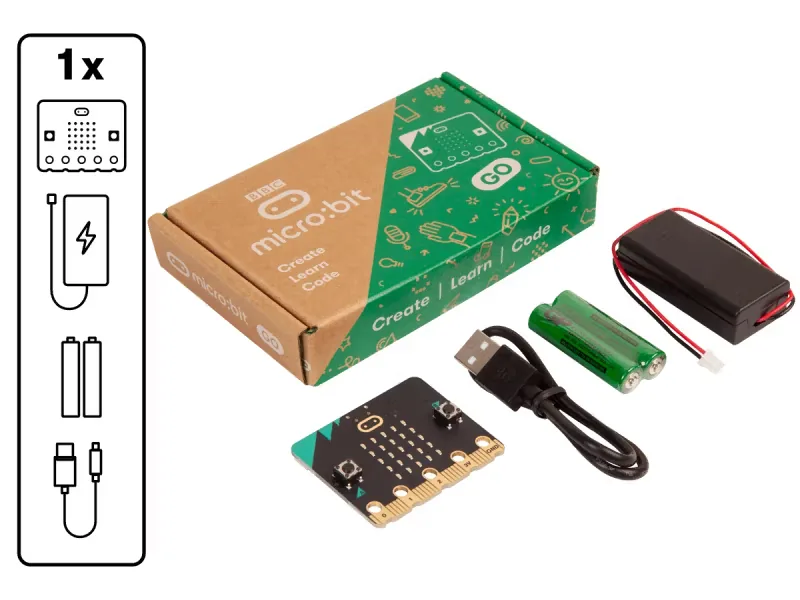
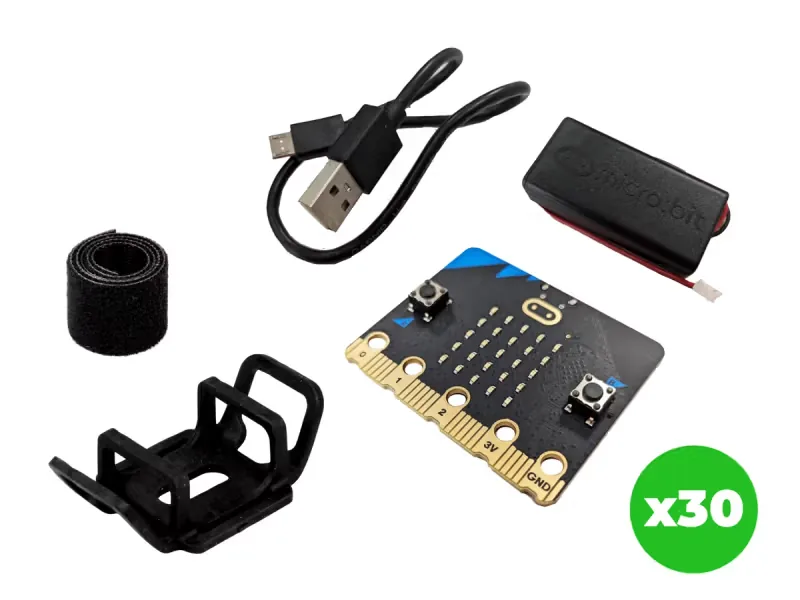
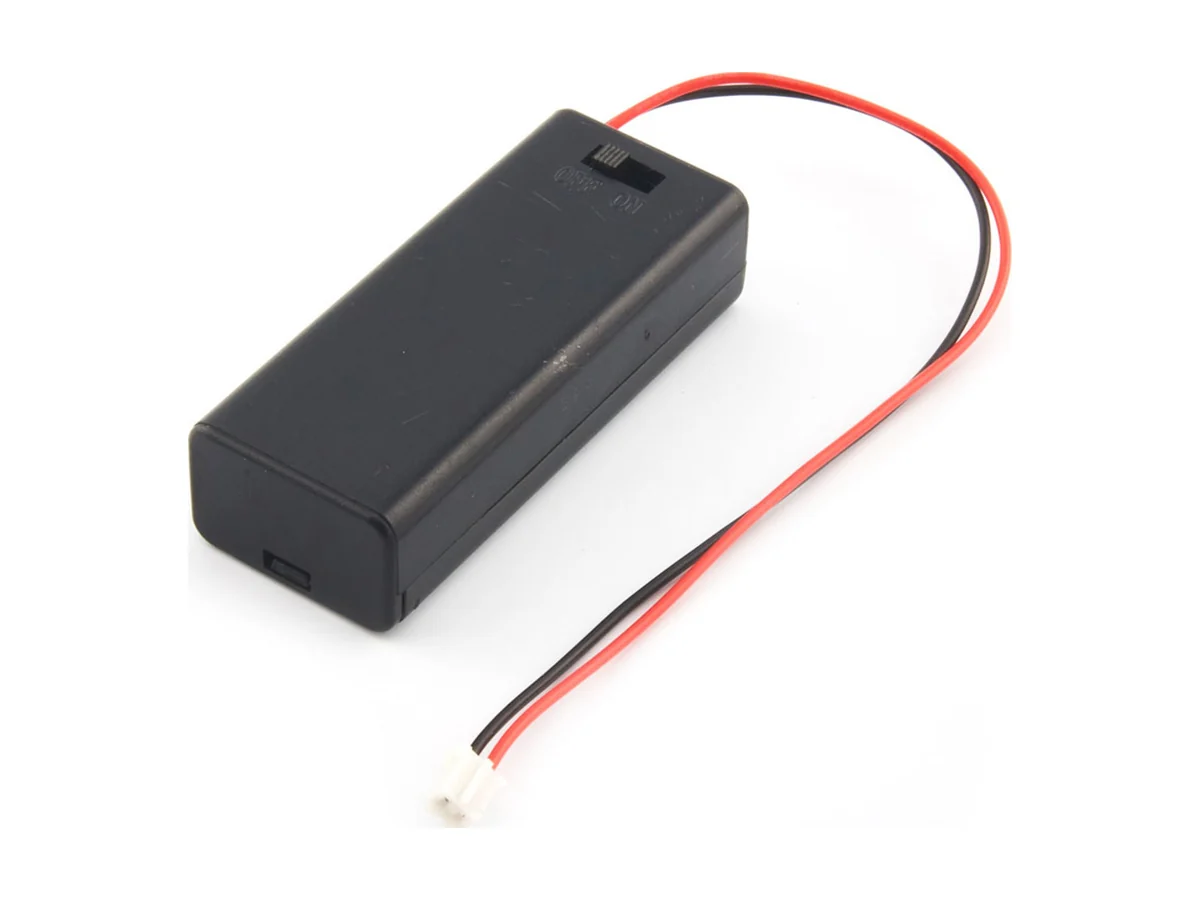
From our shop: BBC micro:bit V2 Go, BBC micro:bit V2.21 Next Gen Classroom Pack, micro:bit Battery Box (Switched)
Safety
- Measure everyday sound only. Never make loud noises near anyone's ears to get a high reading.
- Logs record sound levels as numbers only, never voices or words, so nobody is recorded.
- Use the battery holder with two AAA batteries. Never mix old and new batteries, and take the batteries out before the kits are packed away.
The lesson plan
One lesson of 45 to 60 minutes in three parts: introduction, lesson development and consolidation. The CAPS gives Coding and Robotics 2 hours a week, so it fits one of the week's lessons. Times are a guide.
Introduction
5 to 10 minutesRetrieval practiceWhat is the mean of 4, 6 and 8, and how do you work it out? (Six: add the values to get 18, then divide by how many there are, 3.)
Problem statementWith forty learners in a room of brick, concrete and glass, it can be hard to hear the teacher, and the school wants evidence of when the noise builds up before it changes routines or the room. Log the classroom's sound for a whole lesson and use the graph to find the loudest times.
- Ask: when in a lesson is our classroom loudest? Write the class's predictions on the board.
- Read the problem statement together. Explain that a data logger can listen for a whole lesson while we get on with work, then show us exactly when the room was loud.
Lesson development
35 to 40 minutes- Unplugged first. Be data loggers: every 30 seconds for five minutes, the teacher says 'log', and everyone writes 1 (quiet), 2 (talking) or 3 (loud) for that moment. Plot the class's numbers on the board as a rough graph, then ask what a machine could do better.
- Plan on paper first. Groups write the logger's algorithm. Grades 7 to 9 complete the trace table for a short test: five readings, then the row that is logged. Then groups plan the real investigation: where will the logger sit, how far from people, and what will happen in the lesson? Keep the place the same every time.
- Predict. Each group sketches the graph they expect for the lesson they will log, and marks where they think the peaks will be.
- Build in blocks. Each group has one computer and one micro:bit V2. Two learners build at a time: the driver adds the datalogger extension and builds the buttons and the forever loop from the Blocks tab; the navigator checks each block against the algorithm. Swap roles halfway, at the every 10000 ms loop, so two others take over. Download it to the micro:bit V2.
- Test and debug. Test it for one minute: press A, talk, clap, sit quietly, press B. Plug the board in and open MY_DATA on the MICROBIT drive. Are there five or six rows, and is the loudest in each row at least as big as the average? If the file is empty, check that the tick showed when you pressed A.
- Run it: place the board, press A at the start of a lesson and B at the end, and note the time of each activity. (Or use a log from an earlier lesson.)
- Open the data, click Visual preview to see the graph, or download it into a spreadsheet. Label each peak and dip with what was happening.
Plan on paper: a model answer
In groups, write the logger's algorithm and plan where it will sit and what must stay the same. Grades 7 to 9 also trace a short test of five readings.
Algorithm
- Set up two columns: average and loudest.
- When A is pressed, set logging to true and show a tick. When B is pressed, set it to false and show a cross.
- Every 100 ms, if logging is true: read the sound level into level, add it to total, add 1 to samples, and if level is more than loudest, set loudest to level.
- Every 10 seconds, if logging is true and samples is more than 0: log the average (total ÷ samples, rounded) and loudest.
- Set total, samples and loudest back to 0, so the next ten seconds start fresh.
Trace table
Grades 7 to 9: a short test with only five readings before the row is logged. A real run takes about 100 readings in ten seconds. Step level total samples loudest Row logged Start 0 0 0 0 None Reading 1 40 40 1 40 None Reading 2 35 75 2 40 None Reading 3 (a clap) 120 195 3 120 None Reading 4 45 240 4 120 None Reading 5 40 280 5 120 None 10 seconds 40 0 0 0 average 56 (280 ÷ 5), loudest 120 Consolidation
5 to 10 minutes- Compare the graph with the predictions. Which activity was loudest? Was anyone surprised?
- Ask: why log the average and the loudest? What does each one tell us that the other does not?
- Back to the problem: what evidence does the graph give the school, and what could make our room calmer? Think of soft surfaces, room layout and routines. See how schools do this on our Spaces page. Learners check themselves against the success criteria.
Build it, step by step
Pairs build the program in blocks, following the numbered steps, with the same program as text beside them to check against or paste. Test in the simulator before sending it to a board.
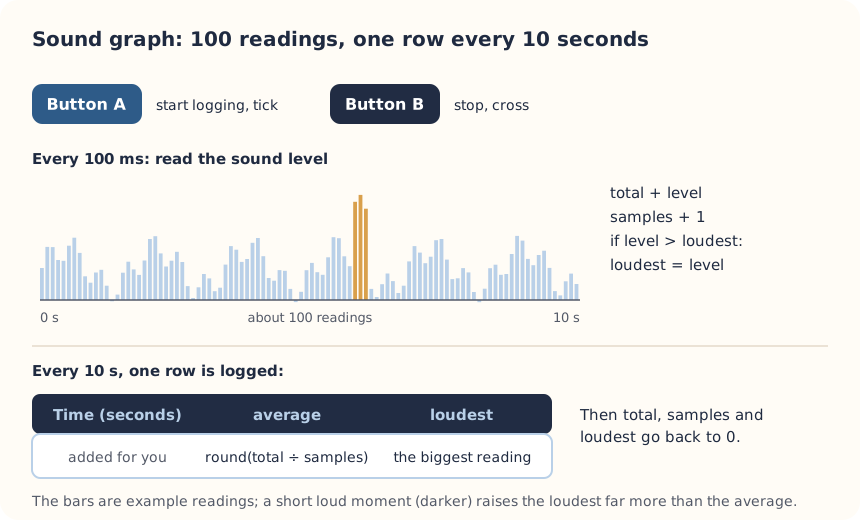
These are the MakeCode steps. The other routes are on the lesson's web page.
Build it in MakeCode blocks
- Start a New Project called Sound graph, and add the Data Logger extension (Extensions, then search for datalogger).
- In on start, add set columns from Data Logger with average and loudest.
- In Variables, make logging, total, samples, loudest and level. Add on button A pressed to set logging to true and show the tick; on button B pressed to set it to false and show the cross.
- In forever, add if logging then: set level to sound level, change total by level, change samples by 1, and if level > loudest then set loudest to level. Add pause (ms) 100.
- From Loops, add every 10000 ms. Inside, if logging and samples > 0 then: log data with average = round (total ÷ samples) and loudest = loudest.
- Still inside, set total, samples and loudest back to 0, so the next ten seconds start fresh.
- Download to a micro:bit V2. After logging, open MY_DATA.HTM on the MICROBIT drive.
let level = 0
let loudest = 0
let samples = 0
let total = 0
let logging = false
input.onButtonPressed(Button.A, function () {
    logging = true
    basic.showIcon(IconNames.Yes)
})
input.onButtonPressed(Button.B, function () {
    logging = false
    basic.showIcon(IconNames.No)
})
loops.everyInterval(10000, function () {
    if (logging && samples > 0) {
        datalogger.log(
            datalogger.createCV("average", Math.round(total / samples)),
            datalogger.createCV("loudest", loudest)
        )
        total = 0
        samples = 0
        loudest = 0
    }
})
datalogger.setColumnTitles(
    "average",
    "loudest"
)
basic.forever(function () {
    if (logging) {
        level = input.soundLevel()
        total += level
        samples += 1
        if (level > loudest) {
            loudest = level
        }
    }
    basic.pause(100)
})
To use the text instead: open MakeCode, start a new project, click JavaScript at the top, replace what is there with this code, then click Blocks to see it as blocks.
To send it to the board, click Download. In Chrome or Edge, MakeCode can connect to the micro:bit by USB so the program goes straight onto it. Otherwise a .hex file downloads: drag it onto the MICROBIT drive.
No Purple Mash route for this lesson
We could not find a Purple Mash unit or project that matches this lesson, so it is MakeCode blocks, with Python as an extension. These lessons have a Purple Mash route:
Extension: text-based coding, beyond the CAPS
The same program in MicroPython, for the micro:bit Python Editor. It suits Grade 7 to 9 learners who are ready for text-based code. The CAPS itself follows a block-based approach (Coding and Robotics CAPS, Grades 7 to 9, page 24).
# How loud is our classroom? A starts logging the average and loudest sound every ten seconds, B stops (micro:bit V2).
from microbit import *
import log

log.set_labels("average", "loudest", timestamp=log.SECONDS)
logging = False
total = 0
samples = 0
loudest = 0


@run_every(s=10)
def record():
    global total, samples, loudest
    if logging and samples > 0:
        log.add({"average": total // samples, "loudest": loudest})
        total = 0
        samples = 0
        loudest = 0


while True:
    if button_a.was_pressed():
        logging = True
        display.show(Image.YES)
    if button_b.was_pressed():
        logging = False
        display.show(Image.NO)
    if logging:
        level = microphone.sound_level()
        total = total + level
        samples = samples + 1
        if level > loudest:
            loudest = level
    sleep(100)
run_every calls record every ten seconds while the main loop listens. The Python version rounds the average down with //, so its numbers can be one lower than MakeCode's.
Open the Python editor, replace the code that is there with this program (or open the downloaded file), then click Send to micro:bit. MakeCode also has a Python view, which is written a little differently.
Extension or homework
Challenges for learners who finish early, or to take further in a club or as homework.
- Challenge 1
Log a different space at a quiet time, such as the hall, the library or a corridor, and compare its graph with the classroom's.
- Challenge 2
Add a third column with the temperature, and see whether a full, busy room gets warmer as the lesson goes on.
- Challenge 3
Hear how a room's echo changes with soft panels on our clap test page, then measure your classroom's echo time.
Support and extension
Support
For learners who need more help
- Use a log the teacher made in an earlier lesson, and focus on reading and labelling the graph.
- Give groups the finished program and a table to fill in: time, activity, average, loudest.
Extension
For learners who are ready for more
- Work out the mean, median and range of the averages for each activity, and compare them in a table.
- Log the same lesson in two places, such as the front and the back of the room, and explain any difference.
Informal assessment
Ask these as learners work. Informal assessment happens every day and is not recorded.
- Why does the program log an average for every ten seconds instead of one reading?
- Point to the loudest part of the graph. What was happening then?
- Name one thing that must stay the same if we compare two lessons fairly.
- Five readings add up to 300. What average is logged?
Suggest two changes that could lower the averages, using the graph as evidence.
Observation checklist
Watch pairs as they plan, build and test. Write each pair's initials under the level you see.
| Watch for | Beginning | Developing | Accomplished | Exemplary |
|---|---|---|---|---|
| Plans where the logger sits and what must stay the same. | ||||
| Builds the logger so that it resets total, samples and loudest after each row. | ||||
| Predicts the shape of the graph, then compares it with the data. | ||||
| Labels peaks and dips with what was happening in the lesson. | ||||
| Suggests changes that could make the room calmer, using the graph as evidence. |
- Beginning:
- not yet, even with help
- Developing:
- with help
- Accomplished:
- on their own
- Exemplary:
- on their own, and explains it or takes it further
The four levels are the CAPS rubric levels (Coding and Robotics CAPS, Grades 4 to 6, page 176; Grades 7 to 9, page 163). The short descriptions are ours.
This lesson is not a formal task, but it is good practice for the term's practical task in Grades 4 to 6 (Coding and Robotics CAPS, Grades 4 to 6, page 170), and for the mini-PATs in Grades 7 to 9 (Coding and Robotics CAPS, Grades 7 to 9, page 157).
Common mistakes and fixes
- The MY_DATA file is empty.Logging only starts after A is pressed, and the first row arrives after ten seconds. Check the tick showed.
- Every reading is 0.You need a micro:bit V2: look for the gold logo and the microphone hole. A V1 has no microphone.
- Old data mixes with new data.Add delete log from Data Logger to on button A+B pressed (log.delete() in Python), and press A and B together before each new investigation.
Where it sits in CAPS
- Coding and RoboticsFitsGrade 9, Term 2: record sensor readings on the micro:bit at short intervals, then show them.Source: Coding and Robotics CAPS, Grades 7 to 9, Grade 9, Term 2, Digital Concepts, D.7 Present a basic understanding of the concept of input processing and output, page 145:
Micro: bit Application using accelerometer readings in an array (list) in short intervals.
- Coding and RoboticsFitsGrade 7, Term 3: charts and graphs make data easier to understand.Source: Coding and Robotics CAPS, Grades 7 to 9, Grade 7, Term 3, Digital Concepts, D.1 Outline the concept of technology and purpose of information technology (IT), page 81:
IT experts create charts and graphs to help
- MathematicsGrades 7 to 9 Mathematics: drawing graphs by hand or with technology, and interpreting them.Source: CAPS Mathematics, Grades 7 to 9, Section 2, topic 5.2 Represent data (Grades 7, 8 and 9):
Draw a variety of graphs by hand/technology to display and interpret data
- MathematicsGrades 7 and 8 Mathematics: summarising data with the mean, median and mode, and finding the range.Source: CAPS Mathematics, Grades 7 to 9, Section 3, topic 5.1 Collect, organize and summarize data (Grade 8):
Summarize data using measures of central tendency
- Natural SciencesFits Natural Sciences: sound, how it is made and how it reflects off hard surfaces, and planning a fair test.
Coding and Robotics quotes come from the Department of Basic Education's final CAPS, with the page number of the 2024 printed edition (the Department's October 2025 library copies number their pages differently). Schools may teach a topic in another term: the CAPS leaves the order to each school's annual teaching plan.
micro:bit is a trade mark of the Micro:bit Educational Foundation, and BBC is a trade mark of the British Broadcasting Corporation. Maze Education is an independent reseller of genuine BBC micro:bit products. Our teacher training and our other products and services are our own, and are not endorsed by the Foundation or the BBC.